> ## Documentation Index
> Fetch the complete documentation index at: https://wundergraphinc-brendan-add-external-directive.mintlify.site/llms.txt
> Use this file to discover all available pages before exploring further.
# Migrate from Apollo
> Migrate from Apollo GraphOS to WunderGraph Cosmo with a single click
If you are a user of Apollo GraphOS with configured graphs, then you can migrate to WunderGraph Cosmo with a click of a button.
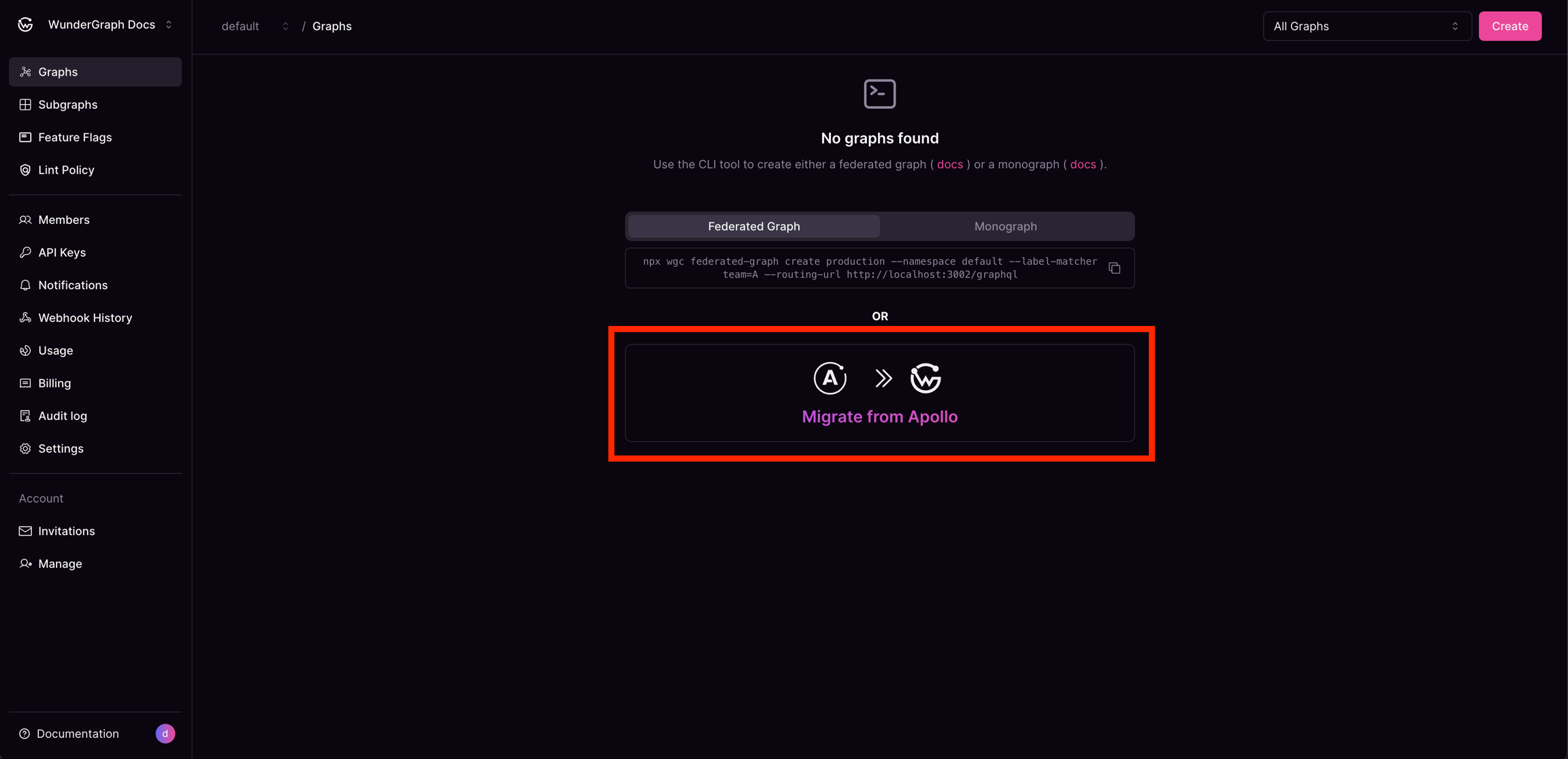 Once you have clicked on "Migrate from Apollo", a modal will appear. This modal will request your "Graph API Key" for the federated graph you wish to migrate.
Your API key is never saved nor stored; it is only temporarily used to fetch the necessary data for migration.
### Steps to fetch the graph API key
Once you have clicked on "Migrate from Apollo", a modal will appear. This modal will request your "Graph API Key" for the federated graph you wish to migrate.
Your API key is never saved nor stored; it is only temporarily used to fetch the necessary data for migration.
### Steps to fetch the graph API key
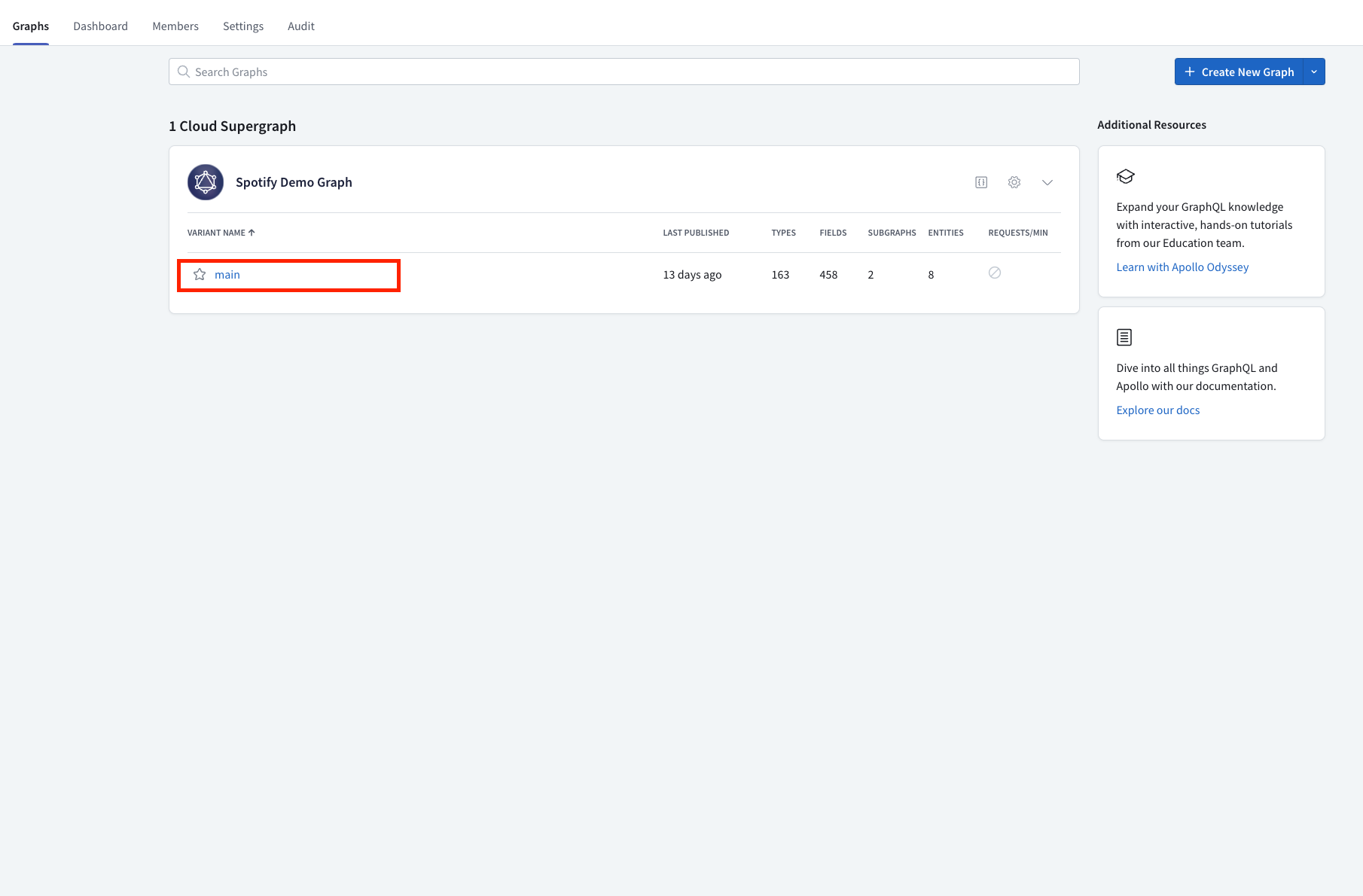
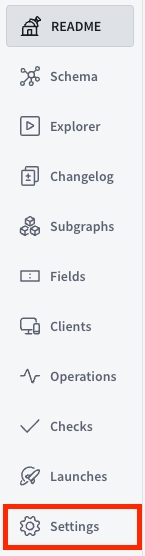

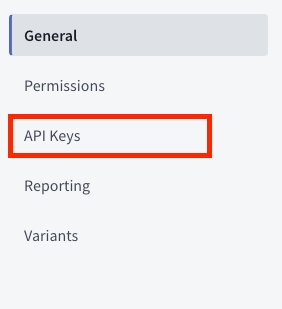

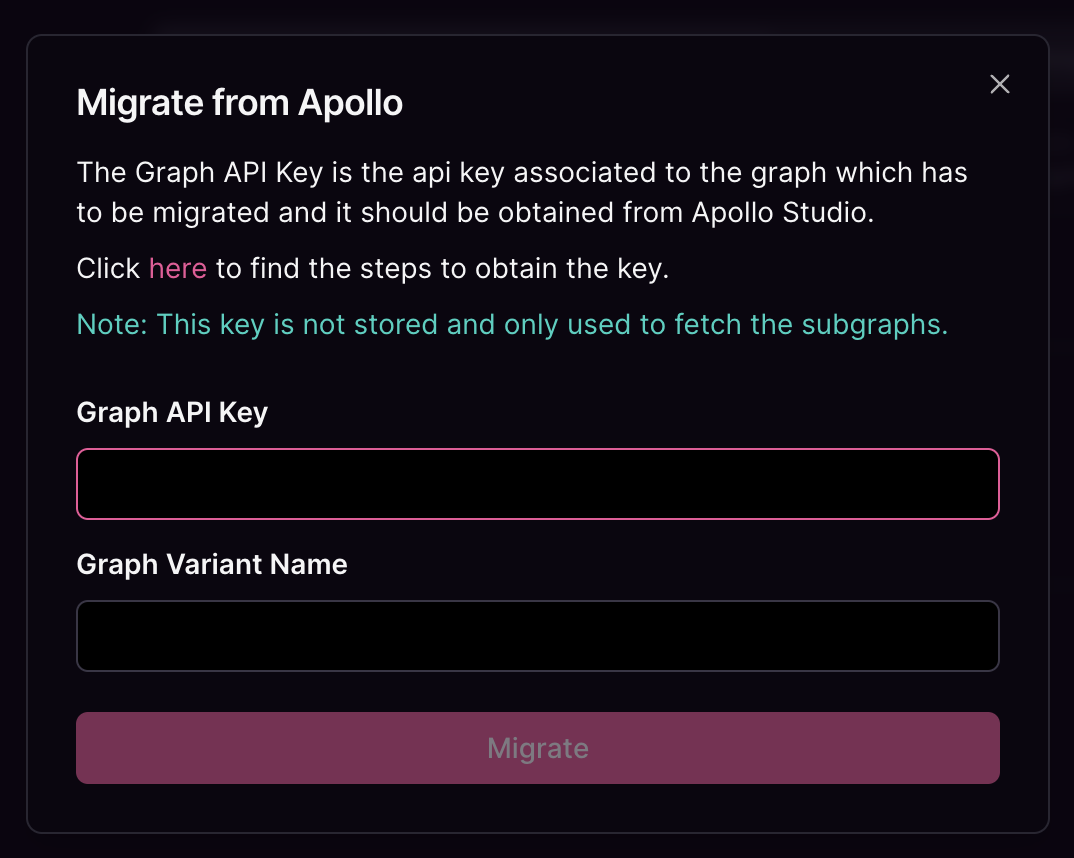 Once you have acquired the key, paste the key into the Graph API Key input, type the name of the variant to be migrated into the Graph Variant Name input and click on the "Migrate" button.
That's it! After a few seconds, your graphs will have been successfully migrated to WunderGraph Cosmo.
Once you have acquired the key, paste the key into the Graph API Key input, type the name of the variant to be migrated into the Graph Variant Name input and click on the "Migrate" button.
That's it! After a few seconds, your graphs will have been successfully migrated to WunderGraph Cosmo.